





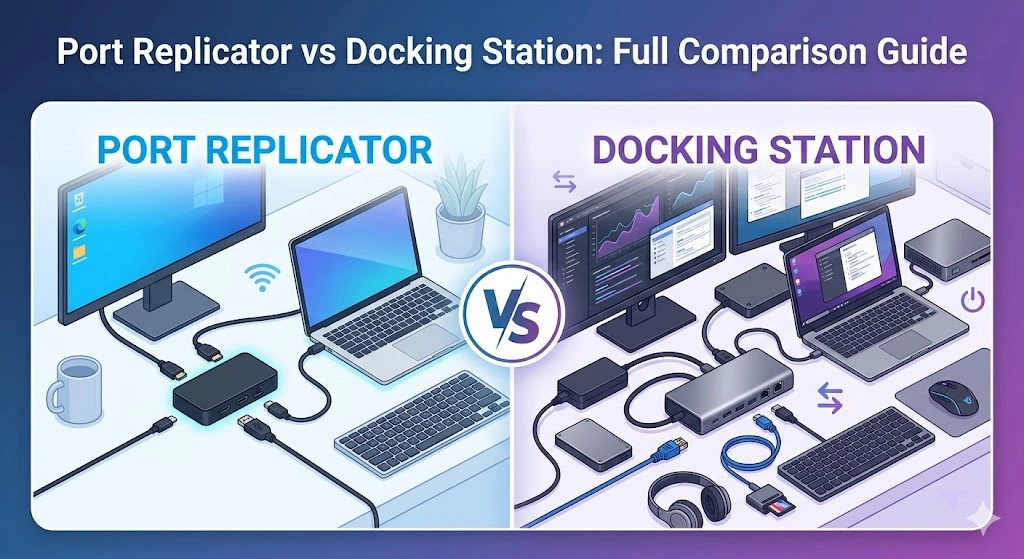
Understanding port replicator vs docking station is essential for modern professionals who rely on multi-device productivity setups. Whether you work remotely, in a corporate office, or manage IT infrastructure in the USA, choosing the right expansion solution impacts speed, efficiency, and workflow stability.
At Grand Time, we design professional connectivity solutions like the 30 Ports Docking Station, 8 Ports Portable Docking Station, and 8 Ports Portable Docking with Screen to meet enterprise and personal productivity demands.
This guide breaks down port replicator vs docking station in a structured, easy-to-understand format.
What is a Port Replicator vs Docking Station?
What Is A Port Replicator?
A port replicator is a basic device that duplicates the existing ports on your laptop. It provides limited expansion, usually for USB, HDMI, and audio connections.
What Is A Docking Station?
A docking station is a more advanced connectivity hub that turns your laptop into a full desktop setup with:
- Multiple monitor support
- Power delivery
- Ethernet connectivity
- High-speed USB-C or Thunderbolt ports
When comparing port replicator vs docking station, docking stations clearly offer advanced performance and scalability.
Port Replicator vs Docking Station: Key Differences
The comparison of port replicator vs docking station comes down to functionality and performance.
| Feature | Port Replicator | Docking Station |
| Connectivity | Basic | Advanced |
| Monitor Support | Limited | Dual/Triple support |
| Charging | Rare | Power delivery supported |
| Speed | Standard | High-speed (USB-C/Thunderbolt) |
| Use Case | Simple expansion | Full workstation setup |
In modern US office environments, docking stations dominate due to multi-device workflows.
Why Choose a Docking Station Over a Port Replicator?
A docking station enhances workflow by enabling a complete desktop experience from a laptop.
In the port replicator vs docking station debate, docking stations support:
- Dual monitor docking station setup
- Docking station for multiple peripherals
- External monitor docking station setup
- Docking station for work from home setup
- Docking station for productivity boost
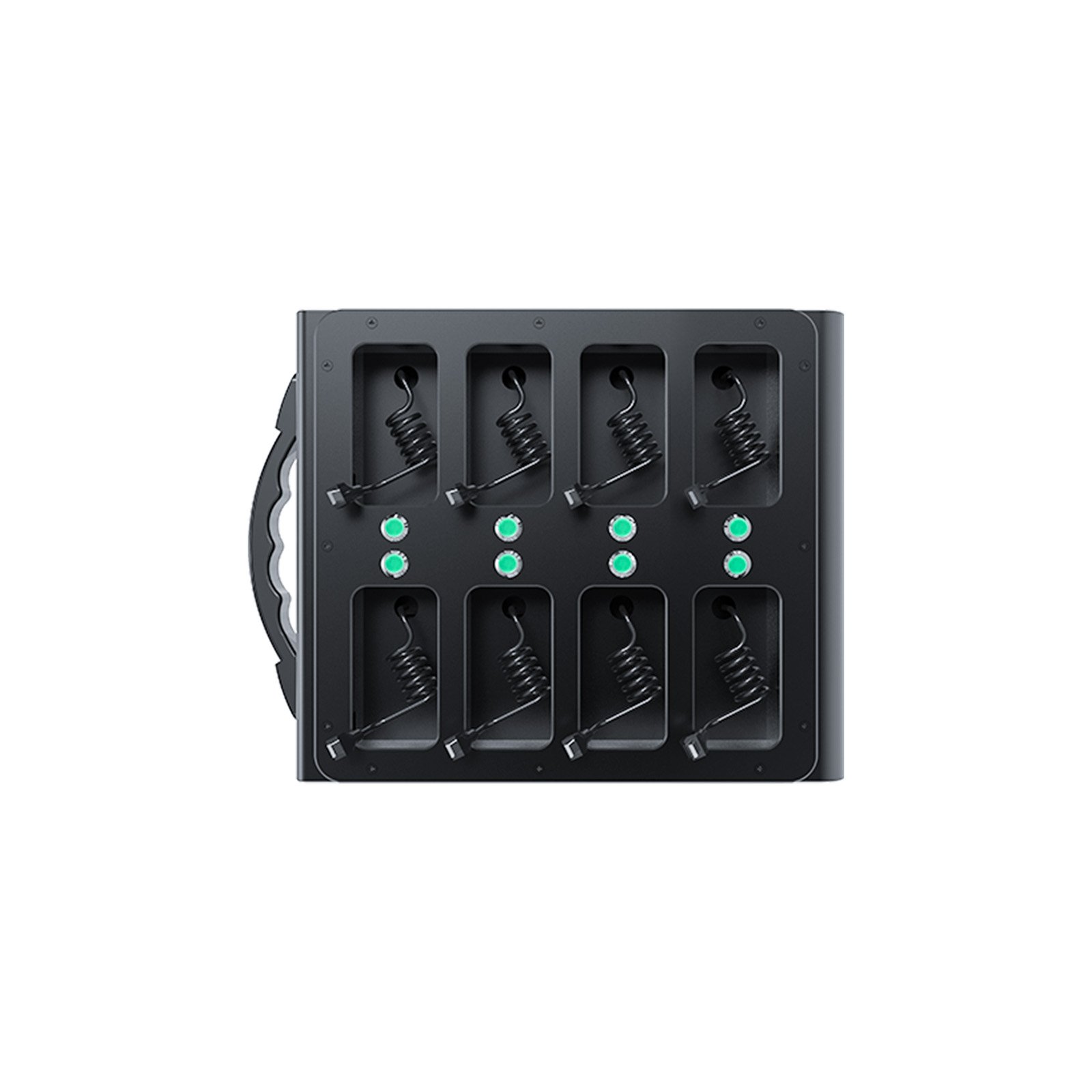
Grand Time’s 8 Ports Portable Docking Station is ideal for professionals who need mobility and performance.
Best Use Cases in the USA
In the USA, port replicator vs docking station comparisons matter most in:
Corporate Offices
- IT-managed desktop replacements
- Multi-monitor financial setups
- Enterprise docking station for business users
Remote Work (Work From Home)
- Docking station for MacBook and Windows laptops
- USB-C docking station for office setup
- Laptop docking station compatibility across devices
IT Infrastructure
- 30 Ports Docking Station for enterprise labs
- Advanced USB docking station systems
Grand Time supports all these environments with scalable solutions.
Grand Time Docking Solutions
Which docking station should you choose?
When evaluating port replicator vs docking station, product selection matters.
🔹 30 Ports Docking Station
Designed for enterprise environments requiring maximum connectivity and scalability.
🔹 8 Ports Portable Docking Station
Perfect for remote professionals and hybrid workers.
🔹 8 Ports Portable Docking with Screen
Advanced monitoring and connectivity control for power users.
These solutions outperform traditional port replicators in every port replicator vs docking station scenario.
Technical Comparison: USB-C & Modern Docking Stations
USB-C docking station vs port replicator
Modern workflows heavily depend on USB-C technology.
A USB-C docking station offers:
- Faster data transfer
- Power delivery support
- Multi-monitor compatibility
- Universal laptop support
Compared to port replicators, docking stations clearly win in performance, making port replicator vs docking station an easy decision for modern users.
Real-World Example
In cities like New York, Los Angeles, and Austin, professionals rely on docking stations for:
- Finance dashboards with dual monitors
- Software development environments
- Remote enterprise work setups
Here, port replicator vs docking station is not just a technical comparison, it’s a productivity decision.
Why Grand Time is a Trusted Brand
Grand Time focuses on enterprise-grade connectivity solutions designed for:
- Reliability
- Multi-device compatibility
- High-speed performance
- Scalable office setups
This builds trust and authority in the port replicator vs docking station ecosystem.
Conclusion
The comparison of port replicator vs docking station clearly shows that docking stations are the superior choice for modern workflows.
While port replicators provide basic expansion, docking stations deliver full workstation performance, especially for professionals in the USA.
Grand Time continues to innovate with advanced solutions like the 30 Ports Docking Station and portable docking systems designed for future-ready productivity.
FAQs
1. What is the main difference in port replicator vs docking station?
A port replicator offers basic port duplication, while a docking station provides full workstation capabilities.
2. Is a docking station better for remote work?
Yes, docking stations support multiple monitors, charging, and peripherals, making them ideal for remote setups.
3. Can I use a docking station with any laptop?
Most USB-C docking stations work with Windows and Mac laptops.
4. Do docking stations support dual monitors?
Yes, docking stations are designed for dual and even triple monitor setups.
5. Which is better for office use: port replicator vs docking station?
Docking stations are better for office environments due to performance, scalability, and connectivity.